
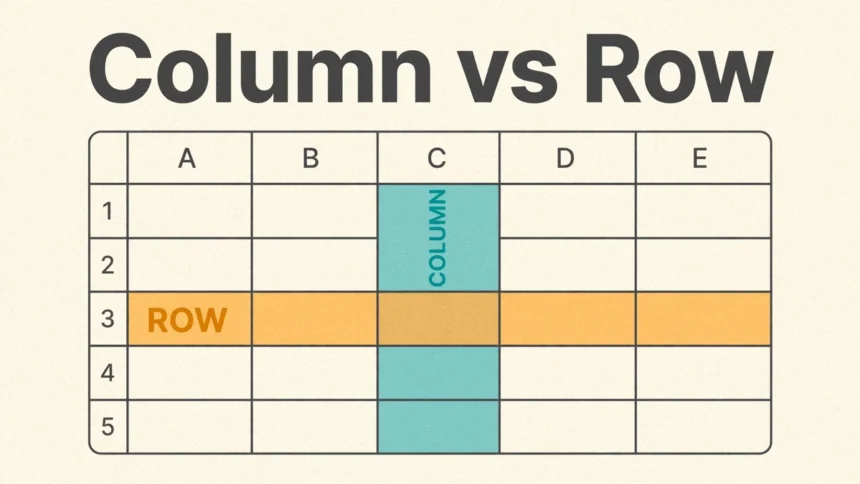
A column vs row mix-up is one of the most common small confusions in spreadsheets, tables and databases — and it is also one of the easiest to clear up. A column runs vertically, from top to bottom. A row runs horizontally, from left to right. That is the whole difference in direction, and everything else follows from it: a row holds one complete record, while a column holds one type of information about every record. Once you see the two jobs clearly, you will never swap them again.
The Short Answer
If you only need the one-sentence version, here it is: a row is a horizontal line of cells that describes one thing, and a column is a vertical line of cells that describes one attribute of many things. Every column and row in a table has a different job, and the table only works because the two jobs stay separate. A table is a two-dimensional arrangement of information in rows and columns, and the spot where one row and one column meet is called a cell — a single box holding a single value.
What Is a Row?
A row is a horizontal strip of cells running left to right across a table. Each row holds everything the table knows about one thing: one person, one order, one product, one visit. Read across a row and you get the full story of that one entry. Read down, and you are looking at something else entirely.
Take a class list. Each student gets their own row: Emma’s row holds her name, her age and her city. Liam’s row holds his name, his age and his city. The rows are the entries themselves — add a new student and you add a new row. A row versus column mix-up usually starts here, because people say “row” when they mean the label at the top. The label is not the row; the label names the column.
In database language, a row is usually called a record. The words mean the same thing: one complete entry about one thing.
What Is a Column?
A column is a vertical strip of cells running top to bottom down a table. Each column holds one kind of fact about every row: all the names, or all the ages, or all the cities. Read down a column and you see one attribute across every entry at once — which is exactly what you need when you want to compare, sort or add things up.
Every value in a column should be the same kind of fact. The Age column holds numbers only; the City column holds place names only. If a column starts mixing dates with names, the table stops being useful. Columns define the structure of a table: they decide what information the table can hold at all.
In database language, a column is usually called a field. Again, the words mean the same thing: one shared attribute.
Column vs Row: Key Differences
The rows vs columns question comes up in spreadsheets, schoolwork, job interviews and database design, so it helps to see the two side by side:
| Row | Column | |
|---|---|---|
| Direction | Horizontal (left to right) | Vertical (top to bottom) |
| Represents | One complete record | One attribute or field |
| Example | One student: Emma, 22, Boston | All the ages: 22, 30, 26 |
| Labelled by | Numbers in spreadsheets (1, 2, 3) | Letters in spreadsheets (A, B, C) |
| Data type | Mixed — different types in one row | Uniform — one type down the column |
| Adding one | Adds a new entry | Adds a new kind of information |
| Database name | Record | Field |
Rows and columns work together, and neither is useful alone. Rows without columns are just a list of things with no details. Columns without rows are labels with nothing to describe. The table needs both.
Column vs Row in Excel and Google Sheets
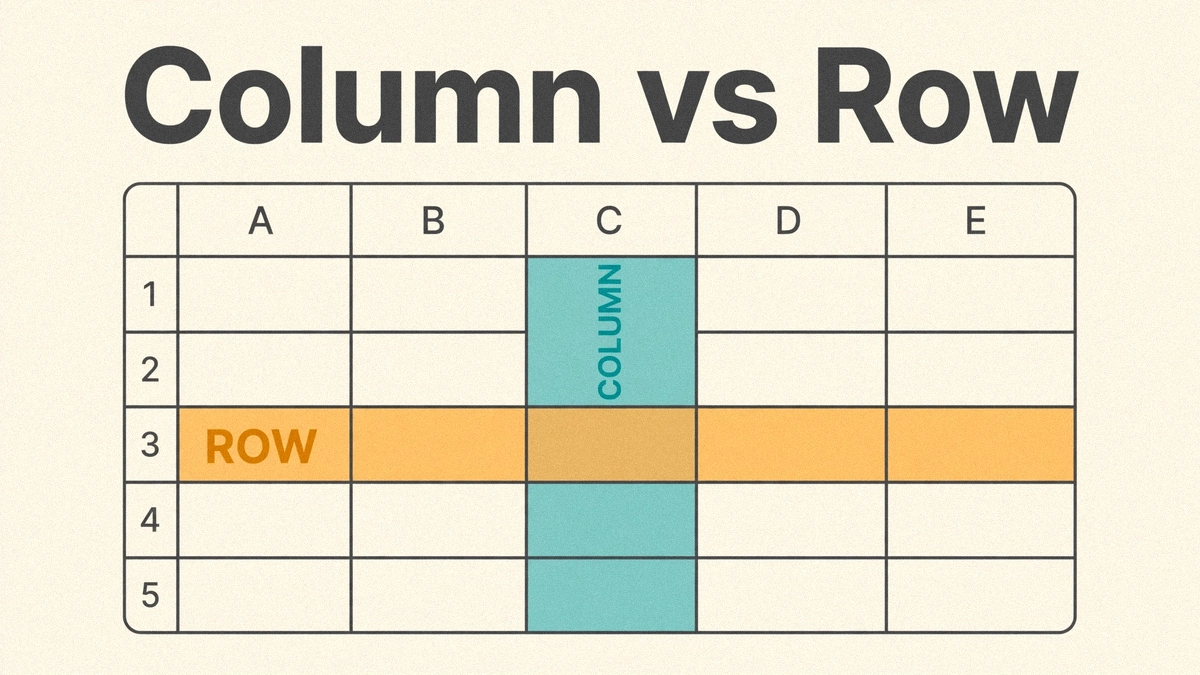
This is where most people meet the difference for the first time. In a spreadsheet, columns are labelled with letters (A, B, C) and rows are labelled with numbers (1, 2, 3), so a single cell gets an address like C10 — column C, row 10. When people compare columns vs rows in Excel or Google Sheets, the letter-number system is the giveaway: letters run across the top, numbers run down the side.
A few practical things follow from that layout:
- To select one entry, select its row. Click the row number on the left and the whole record is highlighted.
- To work with one kind of data, select its column. Click the column letter at the top and every value of that attribute is selected — ready to sort, filter or total.
- Formulas usually read across rows and down columns. A SUM down a column adds up one attribute; a formula across a row combines the attributes of one entry.
- Deleting a row removes an entry. Deleting a column removes a whole kind of information. The second mistake is much harder to undo, so check twice before deleting a column.
Spreadsheets have used this grid since the beginning: VisiCalc, released in 1979, was the first electronic spreadsheet on a microcomputer, and it already arranged data in rows and columns the same way Excel and Google Sheets do today.
Rows and Columns in a Database
In a database, the same idea gets formal names. A table of customers has one row per customer — each row is a record — and one column per field, such as name, email and signup date. Rows and columns are the building blocks here too, just at a bigger scale: a database is a collection of many tables, while a spreadsheet is essentially one table.
The difference matters for how data is stored and searched. Looking up one customer means reading one row. Finding every customer in one city means reading down one column. That is why database guides talk about records and fields instead of rows and columns — the words change, but the grid underneath is the same.
A Simple Example
The easiest way to lock the difference in is to look at one small table. Here the columns are Name, Age and City, and each row is one person:
| Name | Age | City |
|---|---|---|
| Emma | 22 | Boston |
| Liam | 30 | Seattle |
| Aria | 26 | Austin |
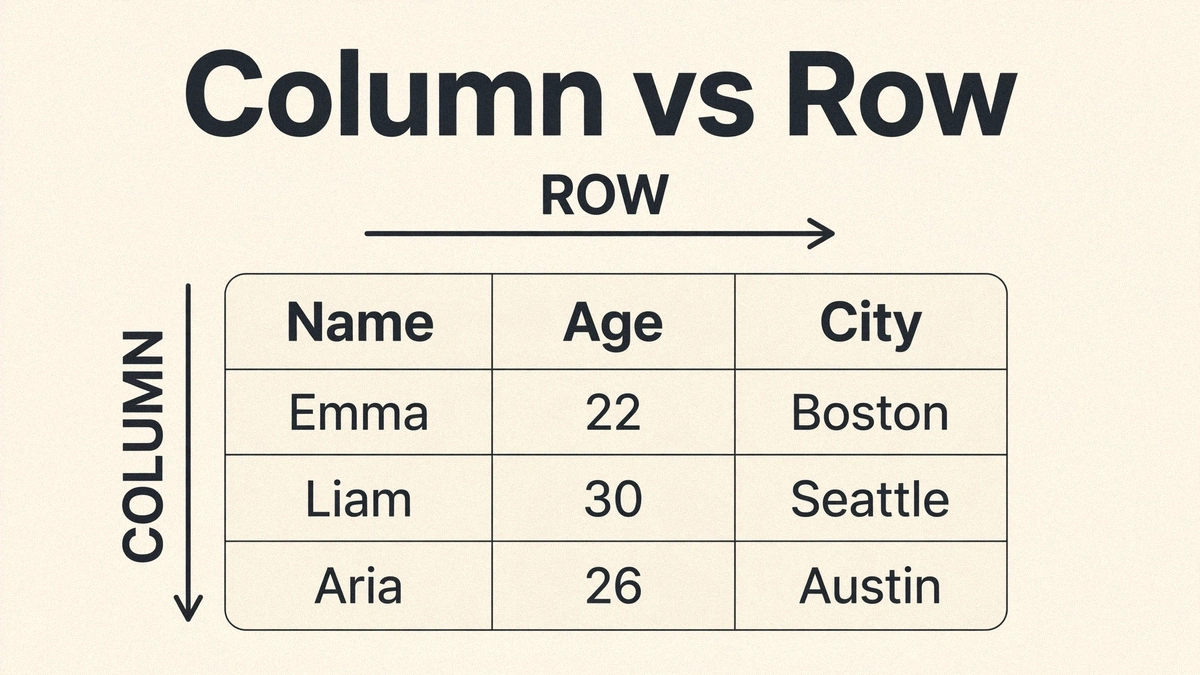
Read across Emma’s row and you know everything the table knows about Emma. Read down the Age column and you know everyone’s age and nothing else. The same pattern shows up everywhere once you start looking: a table of Pokemon card dimensions puts each card in its own row and each measurement — height, width, weight — in its own column. When you are estimating pool volume, length, width and depth each get a column, and each pool you measure gets a row. Even a firewood cord calculator works the same way: a row of measurements goes in, and one answer comes out.
How to Remember the Difference
Two pictures make it stick:
- Rows are like rows of seats in a theatre. They run side to side, left to right, and each seat in the row is a different person.
- Columns are like the columns of a building. They run up and down, top to bottom, and hold the whole structure up.
If you can picture a theatre seat and a building pillar, you can tell a row from a column in a second. Another shortcut: the word “row” sounds like it goes across, the way you row a boat across the water; the word “column” is tall, the way a pillar stands upright.
Common Mix-Ups to Avoid
- Mixing up the header row with a column. The header row (Name, Age, City) sits across the top, but it is naming the columns, not acting as one.
- Reading down when you should read across. If you need everything about one person, read across their row. Reading down gives you one fact about everyone.
- Putting different kinds of data in one column. A column that holds ages in some cells and cities in others cannot be sorted or totalled. One column, one kind of fact.
- Forgetting the cell. The cell is the single box where a row and a column cross. Every value in a table lives in exactly one cell, named by its column letter and row number.
Frequently Asked Questions
This section answers the questions people ask most, including the common search “what is row column” — usually asked by someone staring at a spreadsheet and wondering which direction is which.
What is a row column?
A “row column” is simply a row and a column taken together: the row runs across, the column runs down, and the box where they cross is a cell. There is no separate thing called a row column — the phrase just means the pair of directions that make up a table.
Is a row horizontal or vertical?
A row is horizontal — it runs left to right. A column is vertical — it runs top to bottom. If it goes across, it is a row; if it goes down, it is a column.
What is the difference between rows vs columns in Excel?
In Excel, rows are numbered (1, 2, 3) and run horizontally, each holding one record; columns are lettered (A, B, C) and run vertically, each holding one attribute. A cell address like B4 names the column first (B) and the row second (4).
What is a cell in a table?
A cell is the single box where one row and one column intersect. It holds exactly one value, such as one person’s age or one product’s price.